Protecting your business data is more important than ever. Multi-factor authentication (MFA) is a reliable way to keep your online accounts safe from unauthorized access. In this blog, you'll learn what MFA is, how it works, the different authentication factors involved, and why relying on just a password is risky. We'll also cover common mistakes, benefits, real-world examples, and practical steps to help you use MFA effectively. Whether you're new to authentication methods or looking to improve your current authentication system, this guide has you covered.
Multi factor authentication is a security process that requires users to provide two or more pieces of evidence to verify their identity during a login attempt. Instead of just entering a password, you might also need to enter a code sent to your mobile phone or use a fingerprint scan. This extra step makes it much harder for hackers to access sensitive information, even if they have your password.
Businesses that use MFA reduce the risk of data breaches and protect their email accounts, financial records, and other sensitive systems. By combining different forms of authentication, such as something you know (like a password), something you have (like a physical device), or something you are (like a biometric scan), you add a strong layer of security to your authentication system. This approach is especially important for organizations handling confidential data or following strict compliance rules.

Even with multi-factor authentication in place, some common mistakes can weaken your security. Here are several pitfalls to watch out for and how to address them.
Many people use SMS codes as their second factor, but these can be intercepted by attackers through SIM swapping or phishing. It's safer to use an authenticator app or a hardware token as your second factor whenever possible.
If your primary password is easy to guess or reused across accounts, it makes the whole authentication process less secure. Always choose strong, unique passwords for each login to maximize the effectiveness of MFA.
Not setting up backup options can lock you out if you lose access to your main authentication method. Make sure to set up backup codes or alternative devices so you can always regain access to your accounts.
Over time, devices can be lost or compromised. Regularly review and update your registered devices and authentication methods to ensure only trusted options are active.
Employees may fall for social engineering attacks if they don't understand how MFA works. Provide clear training on how to recognize suspicious login attempts and how to use MFA properly.
Monitoring authentication logs helps you spot unusual login attempts or patterns. Set up alerts for suspicious activity to respond quickly to potential threats.
Adding multi-factor authentication to your business brings several important advantages:
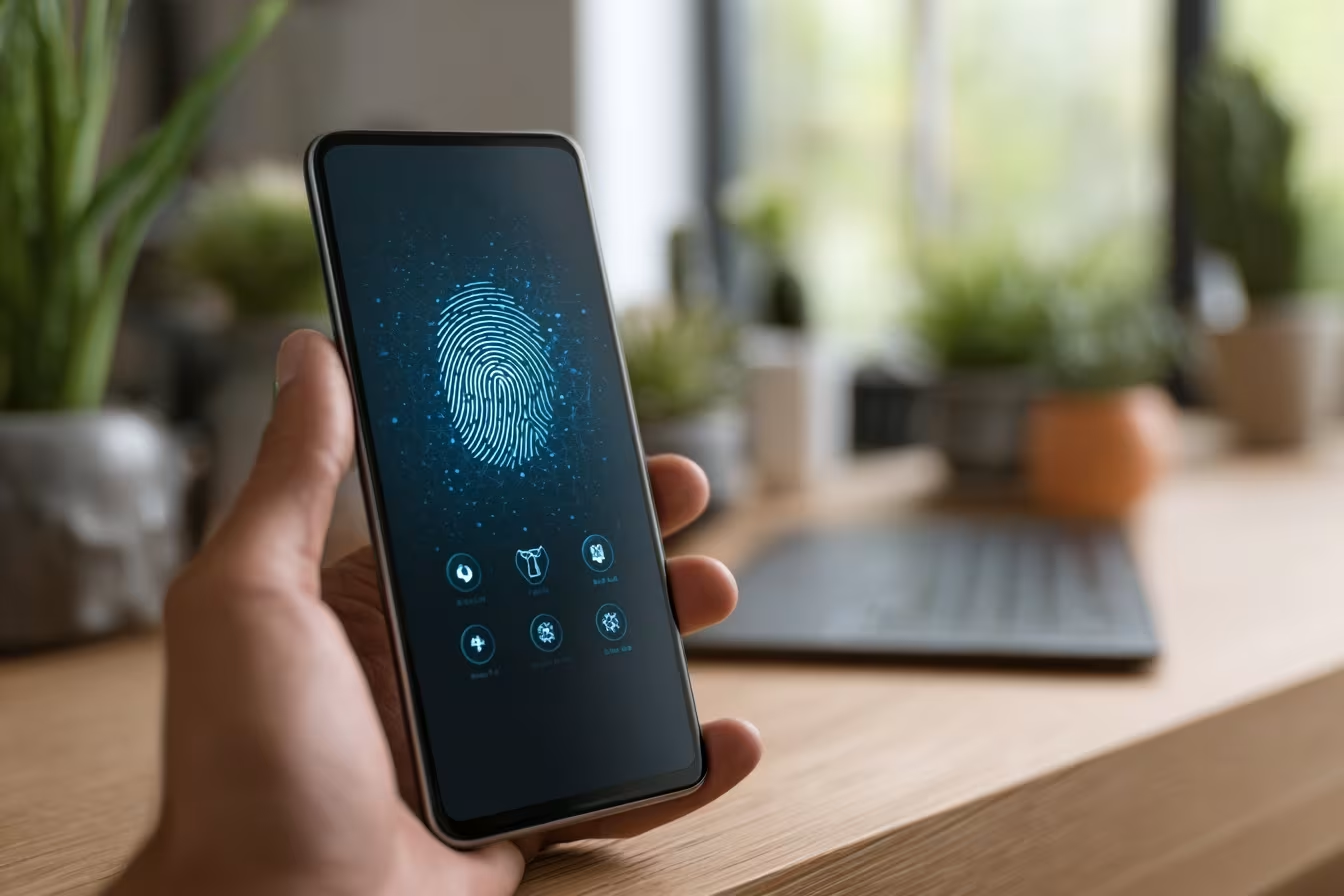
Authentication factors are the building blocks of MFA. Each factor is a different way to prove your identity. The most common types include something you know (like a password), something you have (like a mobile phone or hardware token), and something you are (like a fingerprint or facial recognition). By combining these, you make it much harder for attackers to break in.
For example, even if a hacker manages to steal your username and password, they would still need access to your physical device or biometric data to complete the login. This layered approach is why MFA is considered a best practice for securing online accounts and sensitive business systems.
There are several ways to implement MFA, each with its own strengths. Here are some of the most common methods and how they work.
OTPs are temporary codes sent to your mobile phone or generated by an authenticator app. They are valid for a short time and add an extra step to the login process.
Biometric methods use physical traits like fingerprints, facial recognition, or voice patterns. These are hard to fake and convenient for users who want quick access.
Physical devices, such as USB keys or smart cards, generate codes or connect directly to your computer. They are highly secure but require you to keep the device safe.
Some systems send a push notification to your mobile device for you to approve or deny a login attempt. This is fast and user-friendly, especially for frequent logins.
A verification code or link is sent to your email account. While convenient, this method is less secure if your email is not protected by MFA.
Adaptive MFA adjusts the authentication requirements based on the risk level of the login attempt. For example, logging in from a new location might trigger extra verification steps.

Rolling out MFA in your business takes planning, but the benefits are worth it. Start by identifying which systems and accounts need extra protection, such as financial records, email, and sensitive databases. Next, choose the authentication methods that best fit your team’s needs, like authenticator apps or biometric scanners.
Train your employees on how to use MFA and what to do if they lose access to their authentication factor. Regularly review and update your MFA settings to remove old devices and add new ones. Finally, monitor login attempts and respond quickly to any suspicious activity to keep your authentication system secure.
Following these tips will help you get the most out of your MFA solution:
Staying proactive with these steps will help protect your business from evolving security threats.

Are you looking for a reliable way to secure your business accounts and protect sensitive data? If your company is growing and you want to make sure your authentication system is up to date, we can help you implement the right multi-factor authentication solution.
Our team specializes in setting up and managing MFA for businesses of all sizes. We’ll guide you through choosing the best authentication methods, training your staff, and keeping your systems secure. Contact us today to get started with a safer, more reliable authentication process.
An authentication factor is a way to prove your identity when logging in. In multi-factor authentication, you use more than one factor, such as a password and a code from an authenticator app. This makes it much harder for hackers to break into your accounts, even if they know your password. Using multiple factors adds an extra layer of security to your login process.
Multi-factor authentication works by requiring more than just a password to access your online account. For example, after entering your username and password, you might need to enter a code sent to your mobile phone or use a biometric scan. This means a hacker would need both your password and access to your physical device, making it much harder to break in.
2FA, or two-factor authentication, is a type of authentication method that uses two different ways to verify your identity. For instance, you might use a password and a fingerprint scan. This combination makes your authentication system stronger and helps protect sensitive information from unauthorized access.
The main types of authentication factors include something you know (like a password), something you have (like a mobile phone or hardware token), and something you are (like a biometric scan). Using a mix of these factors helps secure your login process and keeps your accounts safe from social engineering attacks.
Adaptive MFA solutions adjust the authentication requirements based on the risk of the login attempt. For example, if you log in from a new device or location, the system may ask for extra verification. This approach helps protect against unauthorized access and adds flexibility to your authentication system.
The main difference between MFA and two-factor authentication is the number of factors used. Two-factor authentication uses two, while MFA can use two or more. Both methods increase security, but MFA offers more options and can be tailored to your business needs for additional security.