Losing important files can disrupt your business and cause unnecessary stress. Data recovery services help restore lost or damaged files from devices like hard drives, SSDs, and USBs. In this blog, you’ll learn what data recovery services are, how the recovery process works, common mistakes to avoid, and best practices for keeping your information safe. We’ll also discuss the importance of secure data recovery services, free evaluation options, and what to look for in a professional data recovery provider.
Data recovery services are designed to help businesses and individuals retrieve lost data from a variety of storage devices. Whether you’ve experienced accidental deletion, physical damage, or a corrupted file system, these services use specialized tools and techniques to recover your data. The goal is to restore as much information as possible while maintaining data security and privacy.
Most providers offer a free evaluation to determine the extent of the data loss and the chances of a successful recovery. This step is important because it helps you understand the risks, costs, and expected outcomes before committing to a recovery attempt. With the right data recovery service, you can minimize downtime and get back to business quickly.

Mistakes during the recovery process can make data loss worse. Here are some key things to watch out for:
Using a hard drive or storage device after data loss can overwrite the files you want to recover. Always stop using the device immediately and seek professional help.
Trying to recover your data with free software or online guides can cause more harm, especially if you’re not familiar with the technology. Professional data recovery services have specialized equipment and knowledge.
If your hard drive makes clicking noises or your SSD is not recognized, it could be a sign of physical damage. Attempting to fix it yourself can make recovery impossible.
Some people skip the free evaluation and jump straight into recovery attempts. This can lead to wasted time and money if the device is too damaged or the data is unrecoverable.
Sending your device to an untrusted provider can put your sensitive information at risk. Always choose secure data recovery services that follow strict privacy protocols.
After a successful recovery, failing to create backups can leave you vulnerable to future data loss. Always make multiple copies of important files.
Choosing a professional provider offers several advantages:
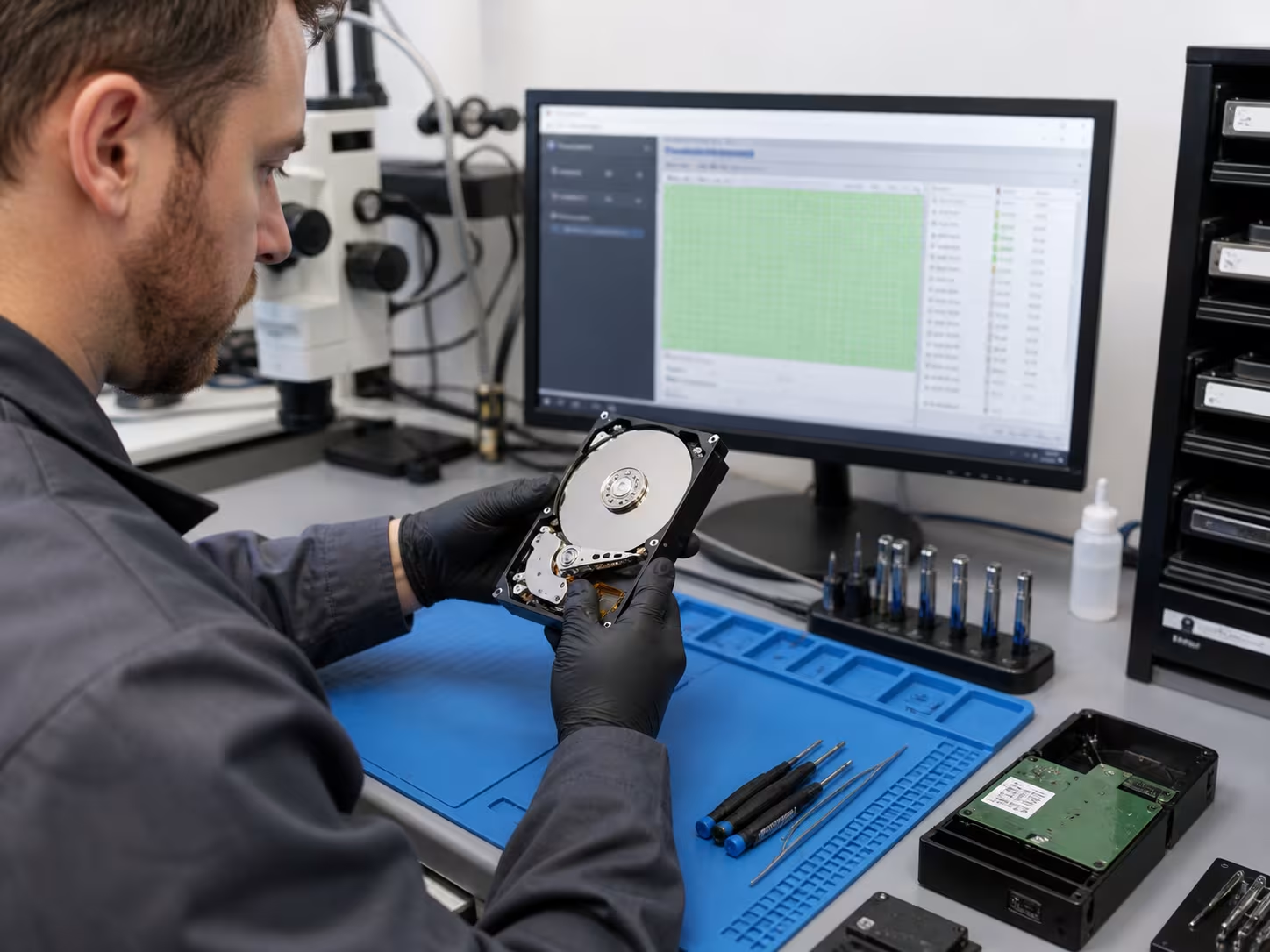
Hard drive recovery is often the last line of defense when data loss occurs. Businesses rely on digital files for daily operations, and losing access to these files can halt productivity. For example, a failed HDD or SSD can contain financial records, client information, or project files that are essential for ongoing work.
Professional data recovery services use cleanroom environments and specialized tools to safely recover data from physically damaged or corrupted drives. This approach reduces the risk of further damage and increases the chances of a successful recovery. By acting quickly and choosing the right provider, you can restore critical data and maintain business continuity.
A structured recovery process increases your chances of getting your data back safely. Here’s what you can expect:
The provider examines your device to determine the cause of data loss and the likelihood of recovery. This step is usually free and helps set expectations.
You receive a detailed quote based on the evaluation. No work begins until you approve the costs and terms.
Technicians use specialized hardware and software to extract data from the affected device. This process is handled in secure facilities to protect your information.
Recovered files are checked for integrity and completeness. You may receive a file list to confirm that the most important data has been restored.
Once verified, your recovered data is delivered to you on a new storage device or through a secure download link.
Many providers offer advice on setting up data backups and improving data security to prevent future incidents.
Protecting your information during the recovery process is just as important as getting your files back. Secure data recovery services follow strict protocols to ensure your data remains confidential. This includes using encrypted transfers, secure storage, and limited access to sensitive information.
For businesses handling regulated data, compliance with industry standards is essential. Professional data recovery services understand these requirements and can help you meet legal obligations related to data privacy and protection. Always ask about security measures and certifications before choosing a provider.
Following best practices can reduce the risk of data loss and make recovery easier if something goes wrong:
Taking these steps will help you avoid common pitfalls and keep your business running smoothly.

Are you a business looking for reliable data recovery services to protect your valuable information? If you’re growing and need to ensure your files are always accessible, our team can help you recover lost data and set up strong prevention strategies.
We understand how stressful data loss can be. That’s why Roxie I.T. offers secure data recovery services, free evaluations, and expert support for businesses of all sizes. Contact us today to discuss your needs and get peace of mind knowing your data is in good hands.
The recovery process usually starts with a free evaluation to assess the damage. Technicians then use specialized tools to recover data from devices like flash drives or external hard drives. If your storage media has suffered physical damage, experts may need to work in cleanroom environments to avoid further issues.
After recovery, you’ll get your files back on a new device or through a secure download. It’s important to ask about the process and what steps are taken to keep your information safe.
Recovering data from a physically damaged hard drive requires professional help. Attempting to fix it yourself can make the problem worse. Experts use advanced equipment to recover your data safely, even if the drive has suffered from drops, water, or electrical issues.
If you notice strange noises or your HDD isn’t recognized, stop using it immediately. This increases the chances of a successful recovery and protects your remaining files.
If you delete files by mistake, avoid using the device to prevent overwriting. Many data recovery service providers can help recover deleted files from SSDs, USBs, and other storage media.
Quick action is key. Contact a professional for a free evaluation to see if your data can be restored. The sooner you act, the better your chances.
Secure data recovery services use encryption and strict access controls to keep your files private. They follow industry standards to ensure your sensitive information doesn’t fall into the wrong hands.
Always ask about their security measures before sending in your device. This is especially important if your data includes client records or confidential business documents.
Yes, data recovery services can often recover data from SSDs and USB drives. The recovery process may differ from traditional hard drives, but experts have tools for these devices as well.
If you experience data loss on an SSD or USB, stop using it right away. Professional data recovery services can assess the situation and recommend the best solution.
Regular data backups are essential. Store copies of important files on external hard drives, cloud storage, or other reliable systems. This makes recovery easier if something goes wrong.
Train your team to avoid risky behaviors, like clicking suspicious links or deleting files by accident. Following these best practices will help keep your business data safe.